
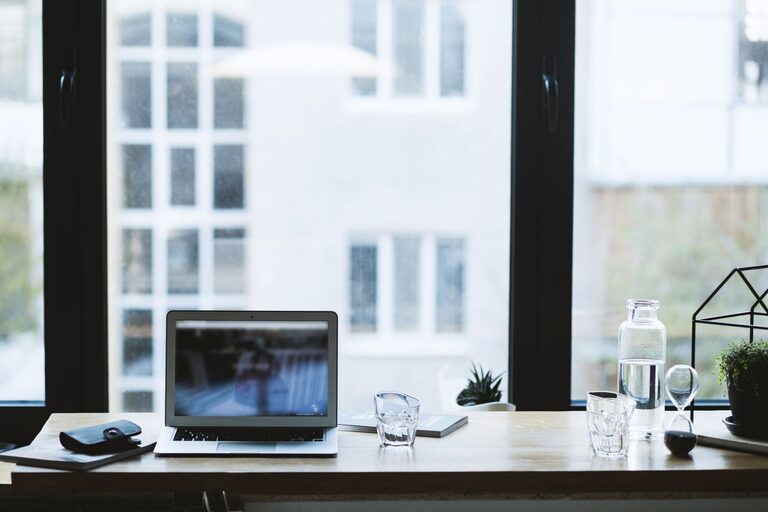
Creating a productive home office environment is essential for anyone working from home, whether full-time or occasionally. A well-organized and comfortable workspace can improve focus, efficiency, and overall work satisfaction. Here are some helpful tips to design a home office that supports your productivity and well-being.
Choose the Right Location
Start by selecting a dedicated area in your home for work. Having a specific space for work helps separate professional tasks from personal life.
– Quiet and Low Distraction: Pick a spot that is away from noise and heavy foot traffic.
– Natural Light: If possible, choose a room or corner with plenty of natural light—it can improve mood and reduce eye strain.
– Privacy: Consider a space where you can close the door or create boundaries, especially if you share your home with others.
Invest in Comfortable Furniture
Ergonomics play a key role in productivity and health.
– Ergonomic Chair: Find a chair that supports your lower back and encourages good posture.
– Desk: Use a desk at the right height so your arms rest comfortably while typing.
– Flexible Setup: Consider adjustable desks that allow sitting or standing to reduce fatigue.
Organize Your Workspace
Clutter can distract and reduce efficiency. Keep your workspace organized and clean.
– Use Storage Solutions: Shelves, drawers, and desk organizers help keep supplies tidy.
– Minimalist Approach: Keep only essential items on your desk to maintain focus.
– Cable Management: Use clips or ties to prevent cables from tangling.
Optimize Lighting
Good lighting decreases eye strain and increases alertness.
– Natural Light: Maximize daylight, but avoid glare on your screen.
– Task Lighting: Use desk lamps with adjustable brightness to illuminate your work area when needed.
– Warm vs. Cool Light: Neutral or cool white light tends to enhance concentration.
Set Up Technology Efficiently
Ensure your devices and tools support smooth work tasks.
– Reliable Internet: A fast, stable internet connection is vital.
– Monitor Placement: Position screens at eye level to avoid neck strain.
– Keyboard and Mouse: Use external devices designed for comfort if working on a laptop.
Personalize Your Space
Adding a personal touch can make your office inviting and motivating.
– Plants: Indoor plants improve air quality and add freshness.
– Artwork: Select pieces that inspire or calm you.
– Colors: Use colors that boost energy or create a peaceful atmosphere, such as blues or greens.
Establish Routine and Boundaries
Your home office setup is only as effective as the habits you build around it.
– Set Working Hours: Define clear start and finish times to balance work and life.
– Take Breaks: Schedule short breaks for rest and movement to stay refreshed.
– Limit Interruptions: Communicate your work schedule to family or roommates to minimize disruptions.
Maintain a Healthy Environment
Don’t forget to care for your physical and mental well-being.
– Air Quality: Ventilate your space regularly or use an air purifier.
– Movement: Incorporate stretches or light exercises throughout the day.
– Hydration and Snacks: Keep water and healthy snacks nearby to stay energized.
Regularly Review and Adapt
Your home office should evolve with your needs.
– Assess Comfort: Periodically check if your furniture and setup remain comfortable.
– Adjust Layout: Rearrange your workspace if you notice productivity dips.
– Update Equipment: Replace outdated technology or add tools that improve efficiency.
—
By thoughtfully designing your home office environment, you can create a productive, comfortable, and pleasant space that supports your work goals and wellbeing. Small changes can make a big difference, helping you stay focused and enjoy your workday more.
