
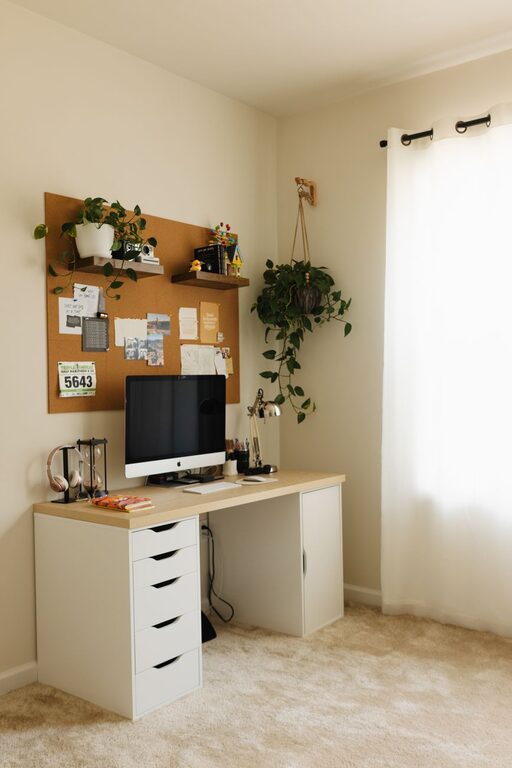
Creating a home workspace that is both cozy and functional can make a big difference in your daily productivity and overall well-being. Whether you are working remotely, studying, or tackling personal projects, the right environment helps you stay focused and comfortable. Here are some helpful tips to set up a workspace that feels inviting and supports your needs.
Choose the Right Location
Finding the perfect spot for your workspace is the first step. Consider these factors when selecting your area:
– Natural Light: A space near a window brings in daylight, which can improve mood and energy.
– Quiet Environment: Pick a spot away from noisy areas of your home to minimize distractions.
– Space Availability: Make sure there is enough room for your desk, chair, and any supplies you need.
If space is limited, a corner of a room or a small nook can be transformed into a productive area with creativity.
Invest in Comfortable Furniture
Comfort is essential when you spend hours working. Here’s what to focus on:
– Ergonomic Chair: Choose a chair that supports good posture to avoid back pain.
– Appropriate Desk Height: Your desk should allow your arms to rest comfortably at a 90-degree angle.
– Adjustable Solutions: If possible, use a standing desk or accessories like monitor risers to vary your position.
Comfortable furniture helps reduce fatigue and keeps you engaged.
Organize and Declutter
A tidy workspace enhances focus and efficiency. Use these organizational strategies:
– Storage Solutions: Use shelves, drawers, or bins to store supplies neatly.
– Minimalism: Keep only the essentials on your desk to avoid clutter.
– Cable Management: Use clips or ties to keep cords organized and out of sight.
Regularly cleaning your workspace can keep the area inviting and prevent distractions.
Personalize Your Space
Adding a personal touch makes your workspace feel welcoming and motivates you:
– Decor: Add artwork, plants, or photos that inspire you.
– Color Palette: Choose calming colors like blues or greens, or energizing colors like yellow, based on what helps you focus.
– Lighting: Use warm light bulbs or desk lamps to create a cozy atmosphere in the evenings.
Personalization encourages a positive mood and connection to your space.
Optimize Technology Setup
Having the right tech set-up ensures you work smoothly:
– Reliable Internet: Make sure your connection is stable for video calls and downloads.
– Quality Equipment: Use a good computer, keyboard, mouse, and headset.
– Monitor Position: Place your screen at eye level to reduce neck strain.
Keeping your devices updated and functional minimizes interruptions during work.
Maintain a Healthy Work Routine
The workspace itself is important, but so is how you use it:
– Set Boundaries: Define work hours to separate professional and personal time.
– Take Breaks: Stand, stretch, or take short walks to refresh your mind and body.
– Stay Hydrated and Nourished: Keep water and healthy snacks nearby.
Developing a routine helps maintain balance and sustain productivity.
Consider Sound and Scent
Your senses affect comfort and concentration:
– Sound Control: Use noise-canceling headphones or soft background music to drown out distractions.
– Pleasant Scents: Aromatherapy with essential oils like lavender or peppermint can create a relaxing environment.
These subtle touches contribute to a more enjoyable workspace experience.
—
Final Thoughts
Designing a cozy and functional home workspace is about combining comfort, organization, and personal preferences. With a well-planned setup and mindful daily habits, your home office can become a place you look forward to using every day. Start small by adjusting one or two elements, then build on those improvements to craft your ideal workspace.