Creating a cozy and productive home office space can significantly improve your work-from-home experience. Whether you’re a full-time remote worker or need a dedicated spot for occasional tasks, setting up an inspiring and functional environment is key. This guide offers practical tips to help you design a home office that encourages focus, creativity, and comfort.
Choose the Right Location
Consider Natural Light
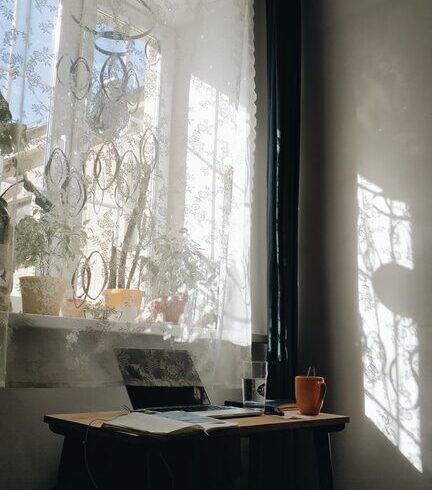
A well-lit workspace can boost mood and energy. If possible, place your desk near a window to take advantage of natural sunlight. Natural light reduces eye strain and creates a welcoming atmosphere. If natural light is limited, invest in quality artificial lighting that mimics daylight.
Minimize Distractions
Select a quiet corner or a room where you can avoid interruptions. If space is limited, use room dividers or noise-canceling headphones to help maintain focus.
Invest in Comfortable and Functional Furniture
Ergonomic Chair
A supportive, adjustable chair is essential for long hours of work. Look for one that supports your lower back and encourages good posture.
Suitable Desk
Choose a desk with ample surface space for your computer, notebooks, and any tools or accessories you regularly use. Standing desks or adjustable height desks can provide flexibility, allowing you to change positions throughout the day.
Storage Solutions
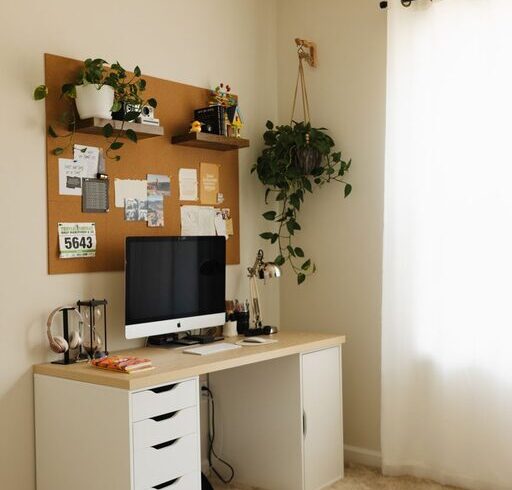
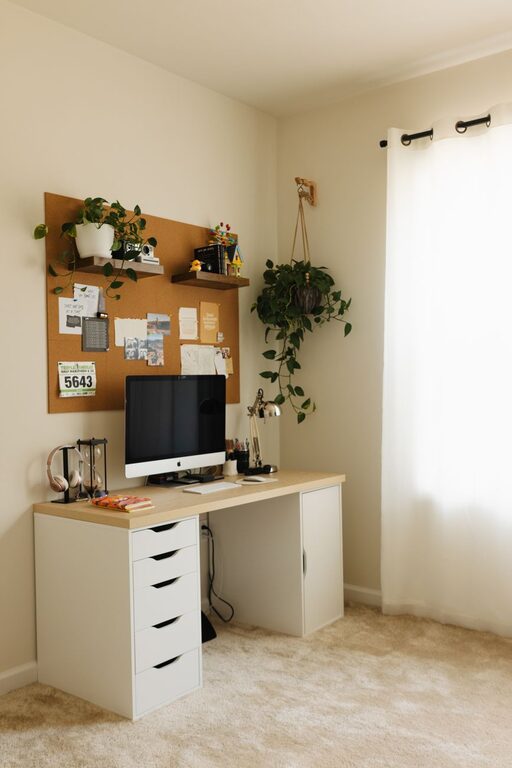
Clutter can harm productivity. Use shelves, drawers, or filing cabinets to keep your workspace tidy and organized.
Personalize Your Space
Add Cozy Elements
Incorporate soft textiles, like a plush rug or a comfy throw blanket. Small cushions for your chair or a cozy footrest can also make a difference.
Use Colors and Décor
Choose calming colors such as soft blues, greens, or neutrals, which can create a peaceful environment. Personal touches like framed photos, plants, or artwork add warmth and character.
Bring in Plants
Indoor plants not only improve air quality but also enhance your mood and reduce stress. Low-maintenance plants such as succulents or pothos are excellent choices for busy professionals.
Organize for Efficiency
Keep Essentials Within Reach
Arrange your most frequently used items so you don’t have to repeatedly get up. Use desk organizers or trays for pens, notebooks, and office supplies.
Manage Cables and Technology
Use cable organizers or clips to keep cords untangled and out of sight. Ensure your equipment, such as your computer, printer, and phone charger, is easy to access and properly set up to avoid frustration.
Set Up a Planning System
Use a planner, calendar, or task management app to keep track of deadlines and appointments. A whiteboard or bulletin board on the wall can serve as a helpful visual reminder.
Maintain a Healthy Work Routine
Establish Boundaries
Define your work hours and stick to them. Avoid blurring the line between personal and professional life by clearly separating your office space from living areas.
Take Breaks
Schedule short breaks throughout your day to move around, stretch, or get some fresh air. A break away from the screen helps maintain productivity and reduces fatigue.
Stay Hydrated and Nourished
Keep a water bottle nearby and have healthy snacks within reach to stay energized during work sessions.
Maximize Technology and Connectivity
Reliable Internet
Ensure your Wi-Fi connection is strong and stable. If necessary, use a wired connection or range extenders to avoid interruptions.
Essential Tools
Use productivity software, cloud storage, and communication apps to stay connected and organized. Keep your devices updated to maximize efficiency and security.
Final Thoughts
Creating a cozy and productive home office doesn’t require a huge budget or lot of space. By focusing on comfort, organization, and personalization, you can design a space where you’ll be happy to work. Remember, the key is to make the environment suit your unique needs and preferences, making each workday more enjoyable and efficient.