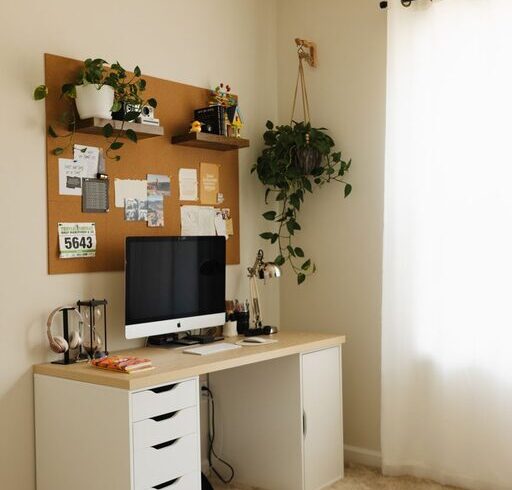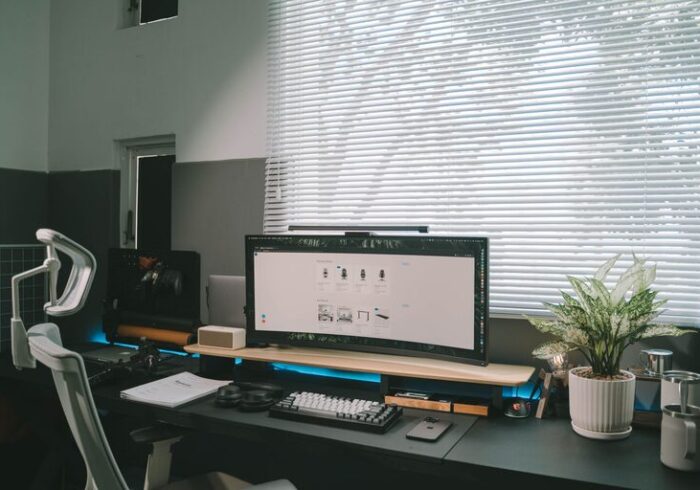

Creating a home office that is both cozy and functional can significantly boost your productivity and well-being. Whether you work remotely, run a home-based business, or need a quiet space for study, designing an environment that suits your needs is essential. In this post, we’ll explore practical tips to help you transform any corner into a comfortable and efficient workspace.
1. Choose the Right Location
Selecting the right spot for your home office sets the foundation for an effective workspace.
– Consider natural light: Set up near windows to take advantage of daylight. Natural light helps reduce eye strain and enhances mood.
– Minimize distractions: Pick a quiet area away from busy parts of your home, such as the living room or kitchen.
– Think about space: Ensure you have enough room not just for your desk and chair but also for storage and movement.
2. Invest in Comfortable and Ergonomic Furniture
Comfort is key when you spend several hours working at your desk.
– Ergonomic chair: Choose a chair that supports your back and promotes good posture.
– Appropriate desk height: Your desk should allow your arms to rest comfortably at about a 90-degree angle.
– Consider adjustable furniture: Standing desks or adjustable chairs can promote movement and reduce fatigue.
3. Optimize Lighting
Good lighting improves focus and reduces eye strain.
– Layer your lighting: Combine ambient lighting (ceiling lights), task lighting (desk lamps), and natural light.
– Avoid glare: Position your monitor perpendicular to windows to prevent screen glare.
– Use warm bulbs: Warm light can create a cozy atmosphere while being gentle on your eyes.
4. Personalize Your Space
Adding personal touches makes the office feel inviting—a place you want to spend time in.
– Add plants: Indoor plants not only improve air quality but also add color and life.
– Display art or photos: Choose pieces that inspire or relax you.
– Use cozy textiles: A soft rug, throw blanket, or cushions can add warmth and comfort.
5. Keep Organized and Clutter-Free
An organized space helps maintain focus and decreases stress.
– Use storage solutions: Shelves, filing cabinets, or bins keep documents and supplies tidy.
– Declutter regularly: Set aside time weekly to clear unnecessary items.
– Manage cables: Use clips or cable boxes to keep cords neat and out of sight.
6. Incorporate Technology Thoughtfully
Technology powers your productivity but can also contribute to clutter or distractions.
– Invest in quality equipment: A reliable computer, keyboard, and mouse are essential.
– Use wireless devices: Wireless keyboards and mice reduce cable clutter.
– Set up necessary accessories: Headphones, chargers, and printers should be nearby but organized.
7. Create Zones Within Your Office
If space allows, dividing your office into zones can improve function and comfort.
– Work zone: Desk and primary equipment.
– Reference zone: Shelves or cabinets for books and files.
– Relaxation zone: A small chair or cushion for reading or breaks.
8. Maintain Good Air Quality and Temperature
Comfort is as much about the environment as furniture and decor.
– Ventilation: Keep windows open or use air purifiers to maintain fresh air.
– Temperature control: Use fans, heaters, or air conditioners to stay comfortable year-round.
9. Set Boundaries to Separate Work and Life
Especially important in shared living spaces, boundaries help you focus and maintain balance.
– Use room dividers: Screens or shelves can create a visual boundary.
– Signal work hours: A sign or routine can indicate when you’re working.
– Keep work out of sight after hours: Close doors or cover your desk to switch off mentally.
Final Thoughts
Designing a cozy and functional home office doesn’t require a large budget or space. With thoughtful choices about location, furniture, lighting, and organization, you can create an environment that supports your work and wellbeing. Remember, your workspace should reflect your personal style and work habits—don’t be afraid to experiment until you find what works best for you!